Back to the manuals overview
Device: Cisco SPA112
About the Cisco SPA112:
Lets you make (affordable) calls over the internet (VoIP) without a PC
using two standard RJ-11 phone ports with standard analogue phones
For more information see http://www.cisco.com/c/en/us/products/collateral/unified-communications/small-business-voice-gateways-ata/datasheet_C78-691106.html
Connecting it:
Connect the device to your router with a network cable, plug the adapter into the mains, and connect your phone to phone 1.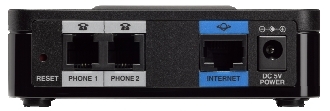
IP address:
On the phone, dial **** (4 stars) followed by 110#. You'll now hear the IP address. Enter this in your web browser as the IP address — in my case, 192.168.1.105
The IP address can also be found by first entering your router's IP address in the browser and looking up the IP address assigned to the Cisco SPA112
After entering the IP address, the following screen appears: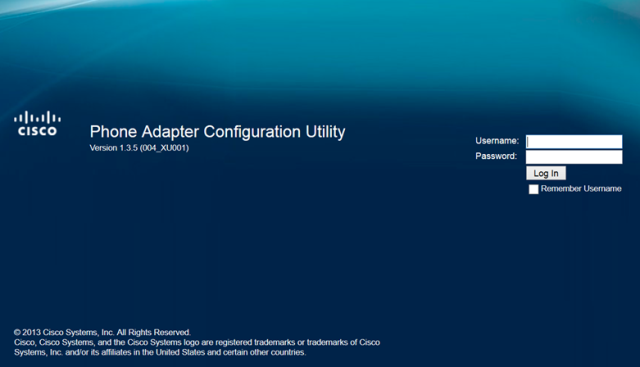
Enter the username and Password and click log in (default user and password is admin)
If needed, the device can be reset to factory settings by holding the reset button on the back for 10 seconds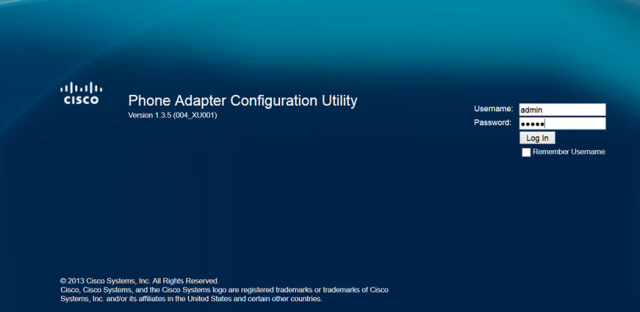
The Quick Setup screen appears:
Here you can fill in the CheapConnect details for line 1 and line 2
For Proxy: sip.cheapconnect.net
Display Name: phone number or provider name (I chose provider).
User ID: the phone number purchased from CheapConnect (e.g. 77707005239)
Password: the password that belongs to your purchased phone number (e.g. wachtwoord123).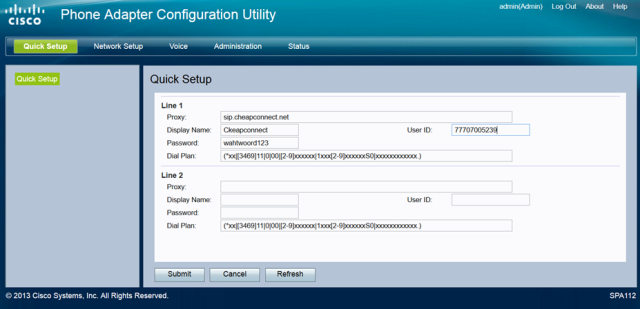
Then click submit
Now click the Voice tab and check the fields against the data below
: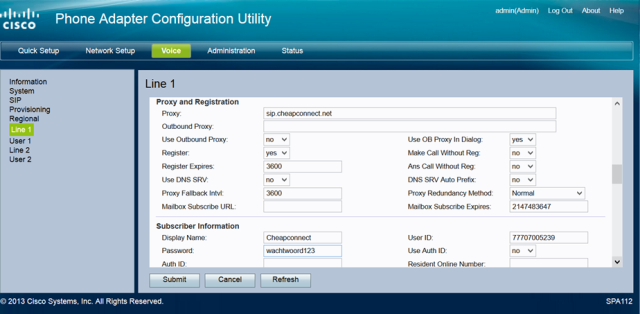
Register Expires defaults to 3600. Value must be between 300 and 3600
Don't forget to click submit after making any changes.
You're now connected to CheapConnect.

